Daniel Ashbrook, PhD
Project idea: Air table project ideas
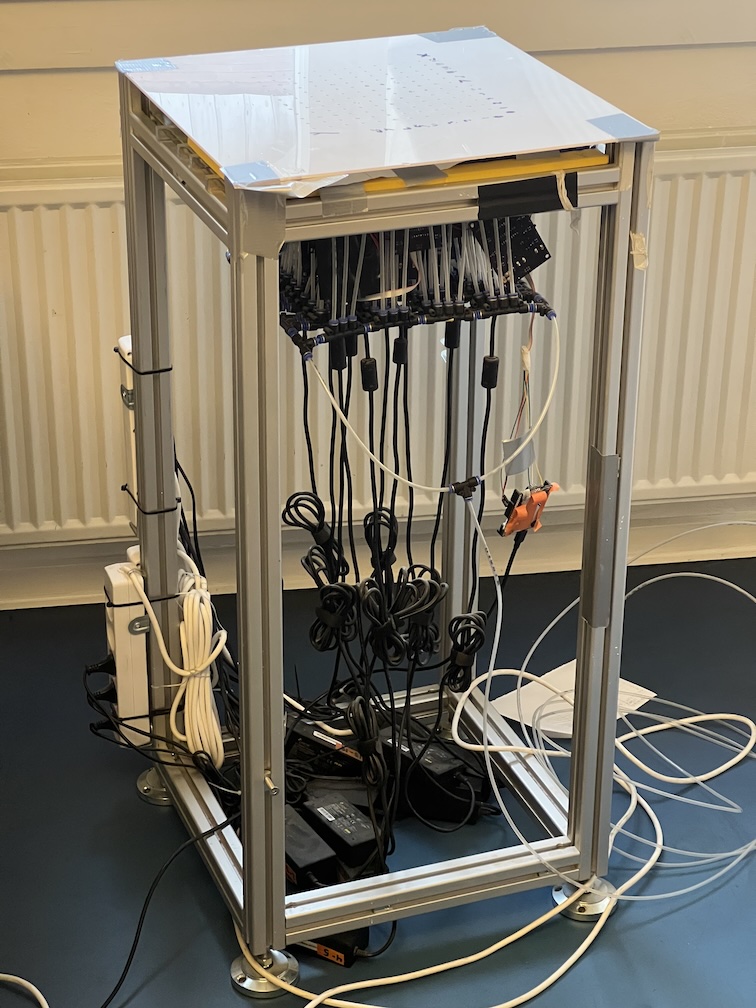 The air table is a small, waist-height table with a 12x12 array of individually controllable air jets embedded in its top surface. Each jet can be turned on or off via a USB connection to a computer. The air table has been used for multiple MSc and BSc projects: see Previous projects below.
Potential project ideas
Haptics
The basic overall question is: what kinds of haptic sensations or information can the air table display, and how well can people perceive it?
- Shapes
- Sensations
- How do different arrangements and characteristics of air jets influence the ability of people to perceive different kinds of information displayed on the air table? → good start by Mengyu (see § Air table)
- What are the ways that you can display information on the table?
- What range of possible shapes are there given the number of jets to work with?
- What properties of the display can you control and how do they feel? For example, if you want to show a simple left/right line, there are a lot of possible ways to do that: a single row of jets; two or more rows; all the jets or skipping some; all the jets just open 100% or pulsing them very quickly for lower pressure; pulsing them slowly or in a more-complex way to get a feeling of pulsing; slowly “drawing” the line by starting with one jet and then gradually turning the others on; and so forth. If you want to do a slanted line, how do you deal with the low resolution of the table? How do you handle corners on a 2D shape? Is it better to “fill” the outline of a shape or not?
- How does the air affect people’s perception over time? It will make their hands cold. Can you mitigate this issue in any way? Maybe heat the air from the compressor, or use an infrared heater to warm their hands, or give them fingerless gloves?
- The air table is very loud. Does the sound of the jets, the valves, or the compressor have any influence on how well people do at perceiving information?
Non-haptics
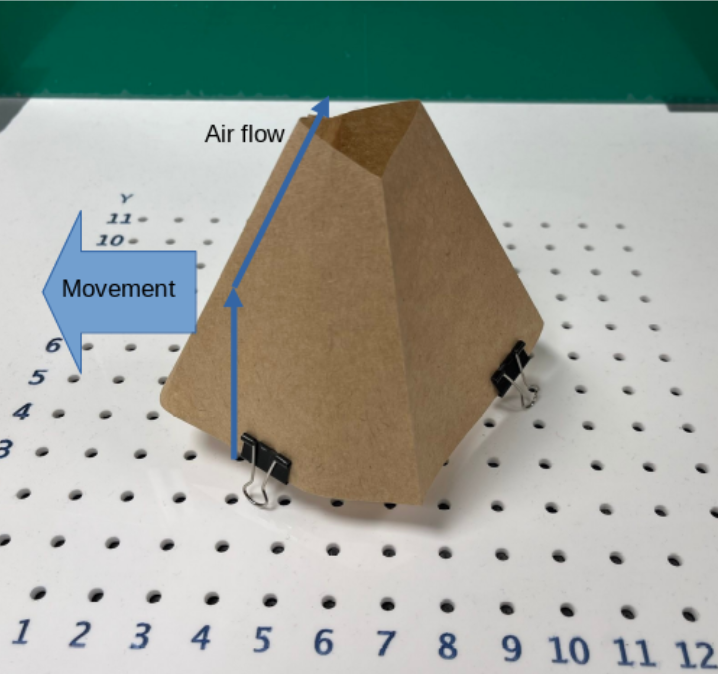 Experiment in moving an object with airflow.
- What are the best ways to sense interaction with the air table, or objects on the air table?
- What kinds of reconfigurable air-powered output can we create from the table, and can we also sense interaction?
- Come up with a variety of ways that air jets can create output when combined with physical objects. We have unconstrained object motion in ideas 1 and 2, but constrained motion would also be possible. For example, a waving flag or ribbon, a spinning wheel, a floating ball in a tube, a “see-saw” between two jets, and so on. You can also imagine sound via whistles as in idea 4, clicking from motion, tones from something spinning, and so forth. What about non-air-based touch sensations, or even smell?
- Think about ways to sense user interaction. Here the whistle idea might make more sense, since you could imagine a 3D-printed object with multiple whistles on it that might activate depending on how the user touches. See my recent paper AirLogic for some ideas around both output and input.
- Think up some possible games or applications that involve this kind of interaction, ideally making use of the fact that we have a fixed array of controllable air jets (fx., we can move objects from place to place by hand without having to connect/disconnect air hoses). Implement and test some of them. Possibilities could include action games like whack-a-mole or strategy games like laser chess (see here and here). It could be fun to go to Bastard Café for inspiration.
Previous air table projects
As of mid-2026, seven MSc theses, BSc projects, and Projects Outside of Course Scope have been conducted with the air table. Here’s a short list; ask me for more information.
- 2026 MSc: testing how to present text using air jets
- 2026 BSc: an eyes-free haptic maze game
- 2025 BSc: the game of Battleship with computer vision tracking 3D-printed ships, which blow off the table when hit
- 2024 POCS: investigation into shape-changing plastic sheets
- 2024 BSc: a haptic display with “pins” which move up and down by air jets
- 2023 BSc (3 students): hovering objects and tangible controls, as well as a control GUI for the table
- 2021 MSc thesis: constructing the table and conducting initial haptic rendering explorations